
Versioning via object selection
You can use the version configuration to enable a dialog in which the version creator can specify which referenced and main child objects that have already been versioned separately are to be versioned together with the main object.
Attention: The selection of the children to be versioned cannot be undone once the version has been created.
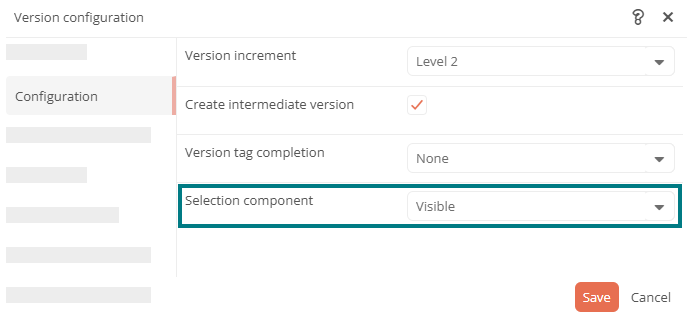
Enable selection component
In the version configuration of a start transition, you can use the Selection component property in the Configuration area to specify whether the Object selection dialog is displayed when a version is created.
The following options are available for this:
Visible: The object selection is visible and can be edited.
Not visible: The object selection is skipped.
Disabled: The object selection is visible but not editable.
Options in the selection dialog
If the selection component is visible and you trigger a version via the start transition, the Object selection dialog appears. If you select a child object there, a query appears on the right-hand side in which you can select one of the following options:
| Option | Description |
|---|---|
| In the future version with [...] | In future, the child object will be versioned together with the main object. |
| Trigger version creation for: |
Specify whether only the selected child object should be versioned or whether a superordinate object within the object hierarchy should be versioned together with it. If you select a parent object and click Apply, it is displayed and versioned together with its child objects in the object selection. Attention: Make sure that no technically irrelevant objects, e.g. employees, are also versioned by your selection. |
To accept your selection, click Next in the dialog.