
Pin Aeneis organization-wide
Via the Microsoft Teams admin center, you can use Teams apps | Setup policies | Global (Org-wide default) to set Aeneis to be pinned to the Teams sidebar by default for every user within your organization.
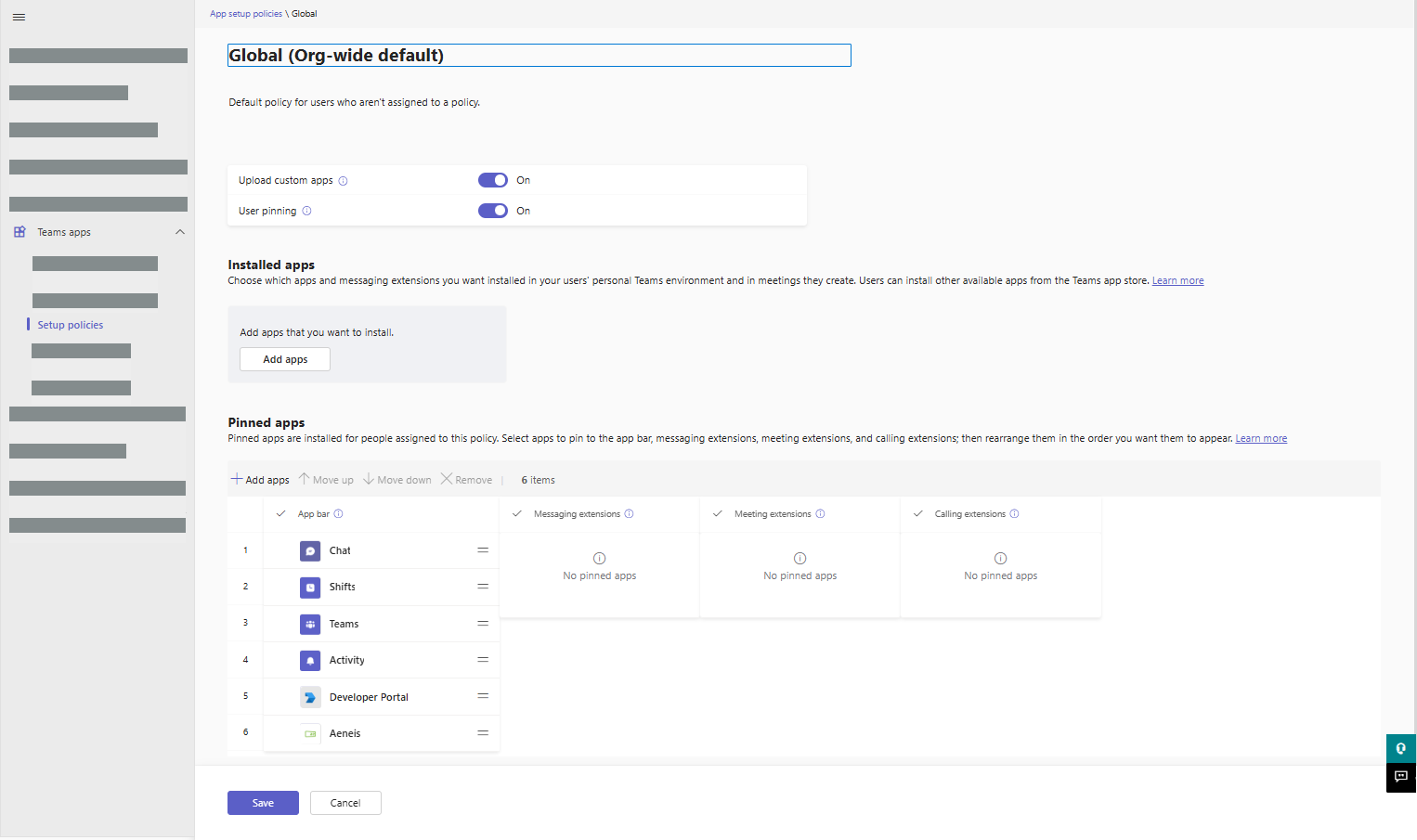
Note: If you do not make this adjustment, users will have to pin Aeneis to the Teams sidebar on their own. For more information, see Pin Aeneis to the sidebar.
Instructions:
-
In the Microsoft Teams admin center, navigate to Setup policies | Global (Org-wide default)
-
In the Pinned apps area, click on Add apps
-
Search for the short name of your sorted instance in the drawer
-
Click on Select for the respective search result
-
Click on Add in the drawer
-
In the Global view (Org-wide default), click Save