Open the Portal
After your company's IT department, for example has given you the access data for Aeneis, you are ready to take your first steps in the Portal. To get to the Portal homepage, open the application via your browser.
Instruction:
-
Enter the URL of your Aeneis Portal via the browser in a new tab
Tipp: Bookmark the URL or drag it to your desktop as a shortcut to access the Portal even faster in the future.
-
Enter your user name and password in the login dialog:
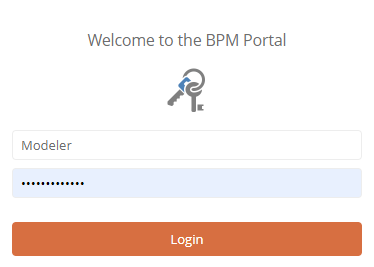
Hinweis: If your company uses single sign-on, no Aeneis login dialog will appear.
Tipp: Single sign-on ensures optimized IT security and makes it easier for you to log in to the Portal. See also Open Portal via single sign-on.
-
Click Login
Result:
You have started your session and landed on the Portal homepage.

Achtung: Do not duplicate the browser tabs of your Aeneis session under any circumstances, as this may cause malfunctions.
Open Portal via single sign-on
If your company uses single sign-on, you authenticate once via the respective central authentication service after entering the Portal URL for the first time. Once authentication is complete, the Portal opens. Now, when you start a new session, you just need to enter the URL into the browser. You will then land directly on the Portal homepage and no longer have to log in manually with your user name and password.
 Related Topics