
Highlights Aeneis 7.5
Compliance Manager: Ensuring understanding and compliant implementation
With the Compliance Manager, you can ensure that your employees understand the relevant content of business-critical processes and carry out their tasks in a compliant manner.
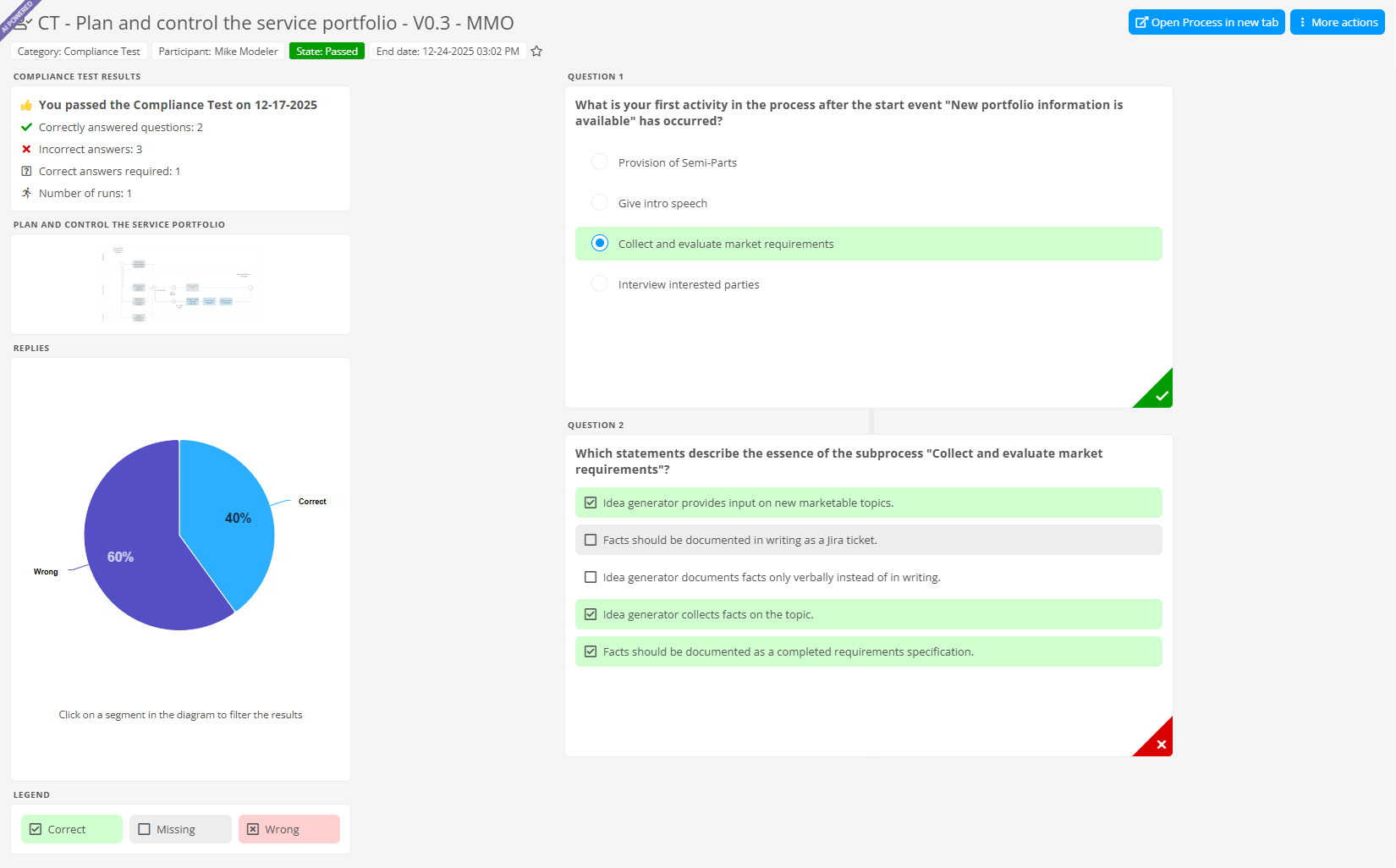
The advantage: You create clarity about what has really been understood and receive reliable evidence for internal requirements and external audits.
Compliance Checks
You can start Compliance Checks in the Portal for each released object. This can be done either via the extended release workflow or ad hoc at any time using More actions. You define framework conditions such as compliance type, focus area, test participants and organizational information.
Compliance Tests
In the next step, Aeneis creates an individual compliance test for each participant with the support of AI. This is based on the framework conditions of the Compliance Check and the contents of the object that are relevant to the role and responsibilities of the respective participant. Only when a participant passes the test is the relevant content deemed to have been successfully acknowledged. A Compliance Check is considered complete when all participants have successfully completed their test. All results and statuses are comprehensibly documented in separate detailed views.
Analysis and control via Compliance Manager app
In addition, the additional Compliance Manager app supports management and process owners in analyzing and controlling all compliance activities in a targeted manner.
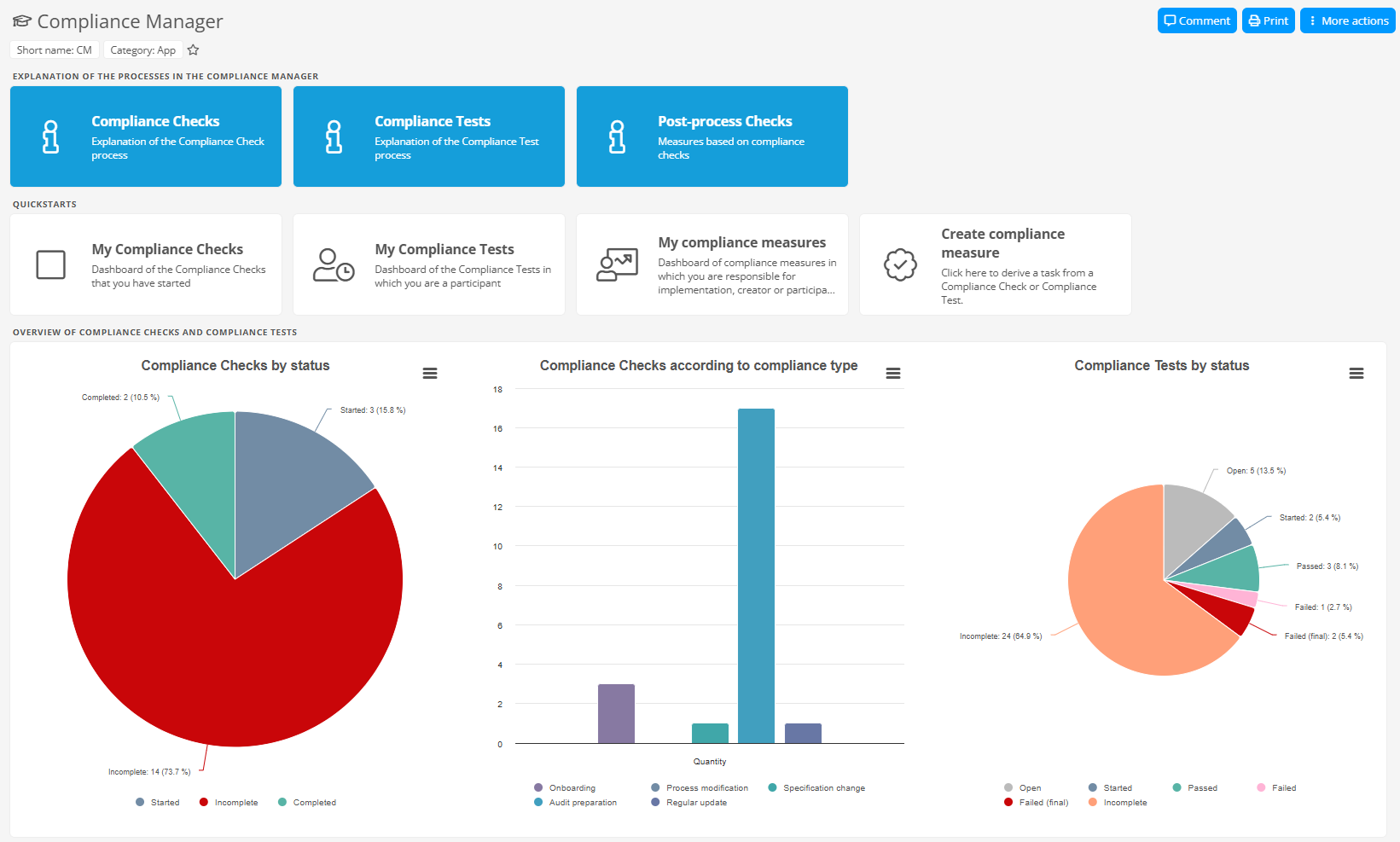
The app offers you the following options:
Central monitoring: Track Compliance Checks and Tests centrally.
Detailed analysis: Use various dashboards to view Compliance Checks and Tests from different angles, such as status, compliance check type or test language.
Recognize weak spots: Identify areas with low success rates more quickly and derive specific improvement measures.
Proof of compliance: Prove for audits and certifications that your employees have understood all relevant requirements.
Aeneis app for Teams: Notifications and favorites in real time
With the Aeneis app for Microsoft Teams, you can integrate notifications and your favorites from Aeneis directly into your daily collaboration.
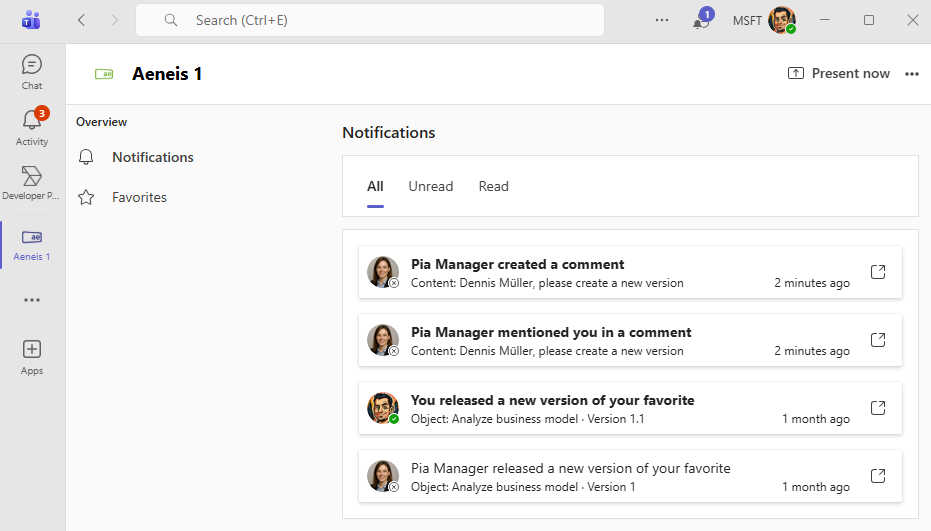
The advantage: You can track your notifications from the portal and your favorites in real time, even if you are not currently logged in to Aeneis. This reduces context switches and ensures that important information is received where you are working anyway.
Notifications
In the Notifications section of the Aeneis app for Teams, you can see all notifications immediately after they have been triggered in Aeneis. They are automatically removed as soon as they are no longer visible in the Portal header. The notifications in the Portal are also updated accordingly when you mark notifications from Aeneis as read or delete them in Teams. You can use the tabs to view read and unread notifications separately. Click on a notification to go directly to the relevant trigger in the Portal.
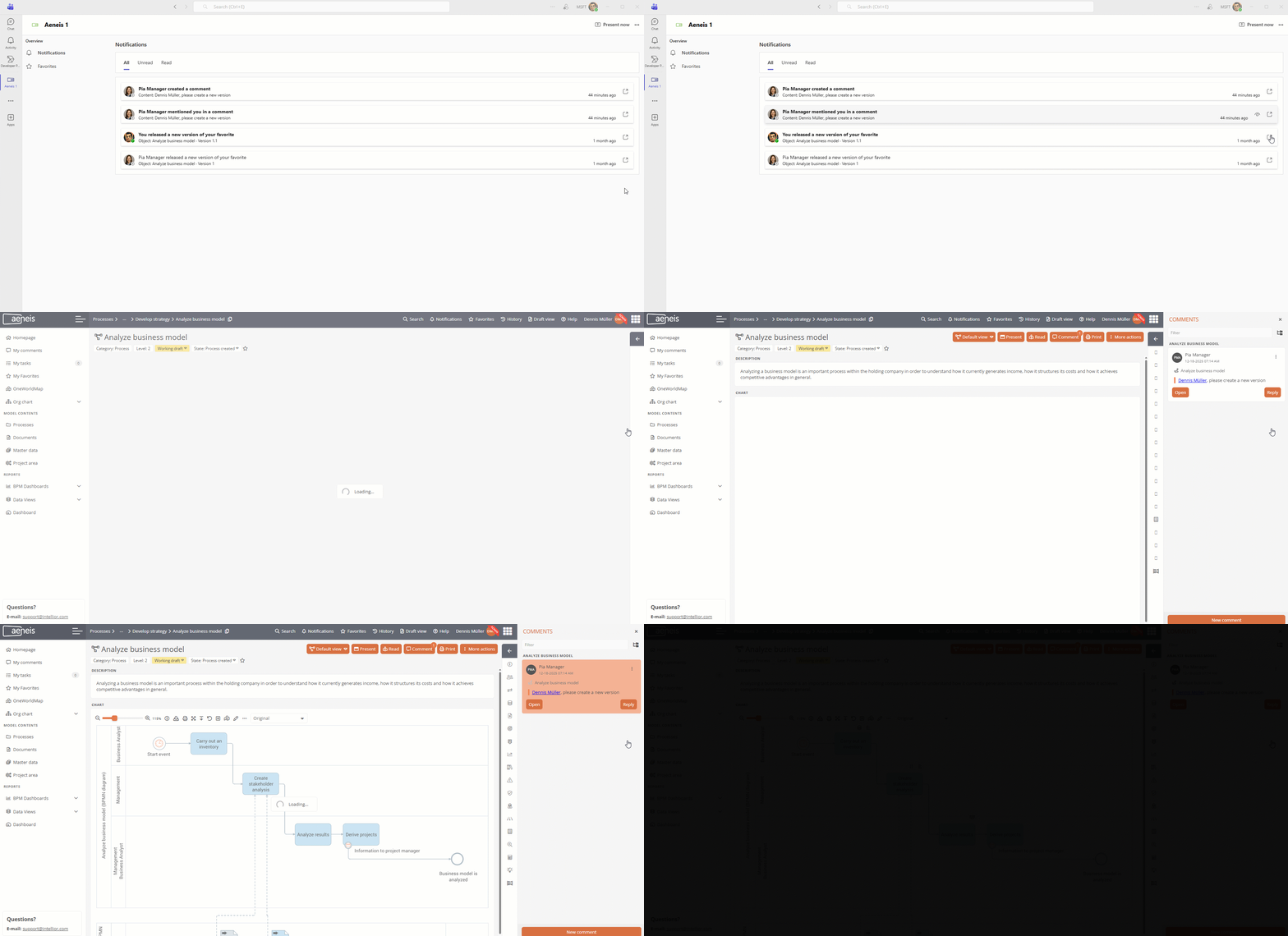
Example: If you have been mentioned in a comment, you will jump from Teams directly to the appropriate drawer in the Portal and Aeneis will highlight the relevant comment for you.
Favorites
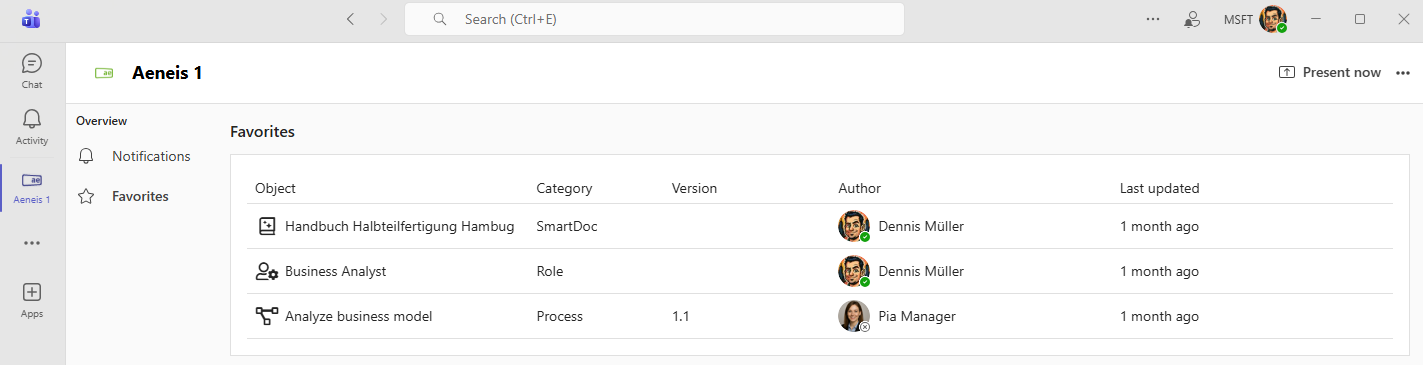
You can see your favorites in a separate area including key data on the property. Changes are synchronized immediately. Click to open the corresponding object directly in the Portal.
Print reports: Own button in the content area
Print reports are easier to access in Aeneis 7.5. They have been completely removed from the More actions menu. Instead, you generate print reports in the content area of the respective object using a separate button.
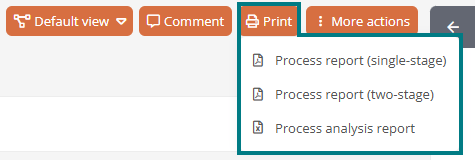
The advantage: Print reports are placed where they belong, can be found more quickly and are available with fewer clicks.