Configure LeanIX interface
Categories are available for the LeanIX interface in Aeneis in the schema. In order to use the LeanIX interface in Aeneis, the LeanIX Folder category must be configured accordingly so that objects from LeanIX can be synchronized with Aeneis.
Instructions:
-
Open the SystemAdministration
-
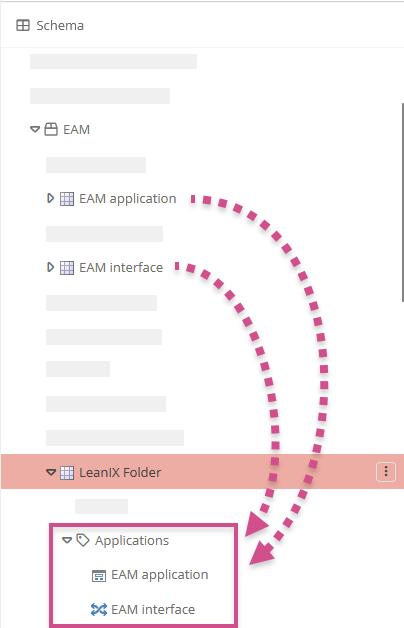
Navigate in the schema to System categories | EAM | LeanIX Folder
-
In the LeanIX Folder category, in the Applications (children) attribute, reference one or both of the EAM Application and EAM Interface categories so that Application and Interface type fact sheets are transferred to Aeneis from LeanIX:
-
Optionally, you can also reference the EAM Application and EAM Interface categories in the Recycle bin attribute so that related objects that have been deleted or archived in LeanIX are moved to the recycle bin in Aeneis. If the categories are not referenced in the recycle bin and a corresponding object is deleted or archived in LeanIX, the object is also deleted in Aeneis. If an object, after being deleted in LeanIX and Aeneis, is restored in LeanIX, then it is created again in Aeneis with the same GUID.
-
Copy the attribute Applications (children) from the category LeanIX Folder, paste it under the category EAM Application and, if necessary, delete there the referenced category EAM Interface that was also inserted
-
Copy the attribute Applications (children) from the category LeanIX Folder, paste it under the category EAM Interface and, if necessary, delete there the referenced category EAM Application that was also inserted
-
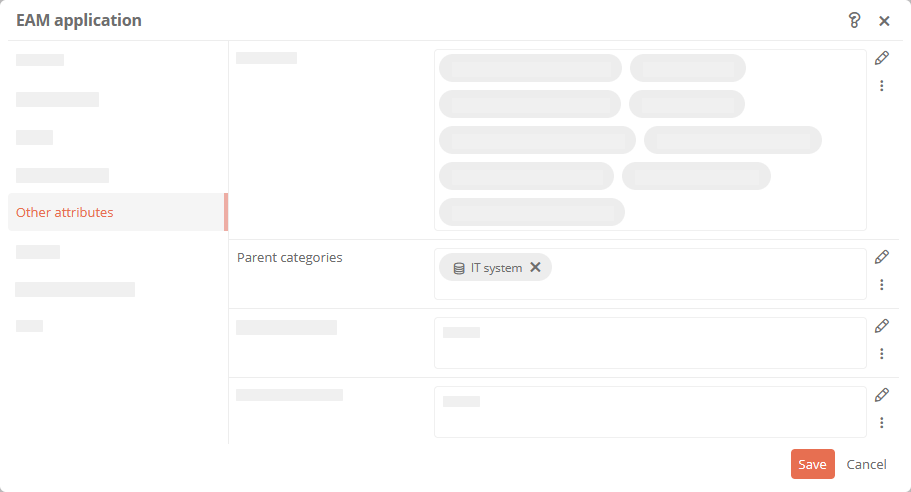
Open the properties of the EAM Application category and reference the IT System category in the Parent Categories property so that transferred applications from LeanIX can be assigned as IT systems in processes:
-
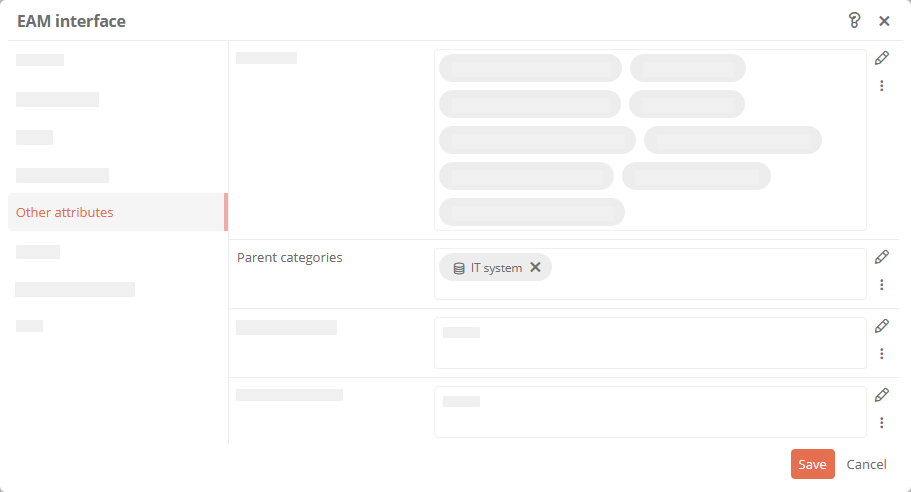
Open the properties of the EAM Interface category and reference the IT System category in the Parent Categories property so that transferred interfaces from LeanIX can be assigned as IT systems in processes:
-
(Optional) To see the ID and URL of the synchronized system in synchronized applications and interfaces from LeanIX in Aeneis, copy the External Id and External Service attributes from the Directory Object category and paste the attributes in the EAM Application and EAM Interface categories
-
(Optional) To display a link to the corresponding fact sheet in LeanIX in Aeneis within synchronized applications and interfaces from LeanIX, add the Filename attribute in the EAM Application and EAM Interface categories.
Hinweis: For Import fact sheet types, add the attribute to the corresponding target category. The link is written to the attribute with every synchronization.
Achtung: Any existing value in the Filename attribute will be overwritten during synchronization.
-
Navigate to the IT system (folder) category in the schema and reference the LeanIX Folder category there in the Children attribute so that an object of the LeanIX Folder category can be created at the IT systems and the applications and interfaces from LeanIX can be synchronized there
Result:
The LeanIX interface is now configured in the schema.